Setting up a productive home office isn’t just about a fast computer and good lighting, it’s about a chair that doesn’t leave you wincing by lunchtime. The Embody office chair by Herman Miller has earned its reputation as one of the most advanced ergonomic task chairs on the market, engineered for people who spend serious hours at a desk. Unlike typical office seating that forces the body into static positions, the Embody is designed to move with you, supporting sustained focus without the fatigue. This guide breaks down what makes it tick, who benefits most, and how to dial in the fit.
Table of Contents
ToggleKey Takeaways
- The Embody office chair features pixelated support technology that reduces peak pressure by up to 33% compared to standard foam, making it ideal for professionals working six-plus hours daily at a desk.
- Its BackFit adjustment system allows users to customize lumbar support depth and curvature, paired with four-dimensional adjustable armrests that minimize shoulder strain and pressure points.
- The chair adapts to your body’s movements rather than forcing static posture, maintaining support during typing, reading, and reclining without sacrificing comfort during extended work sessions.
- At $1,600–$2,000, the Embody’s 12-year warranty and durability rating for 24/7 use breaks down to roughly $11–$14 per month, making it cost-effective for remote workers committed to their home office setup.
- Proper setup takes just 15 minutes and involves six critical steps: seat height, depth, BackFit tuning, armrest positioning, tilt tension, and tilt locking—skipping this optimization significantly reduces the chair’s ergonomic benefits.
- Compared to Herman Miller’s other models, the Embody uniquely offers adaptive, all-day comfort with granular adjustability, distinguishing it from the firmer Aeron, budget Sayl, task-focused Mirra 2, and auto-adjusting Cosm.
What Makes the Embody Office Chair Stand Out?
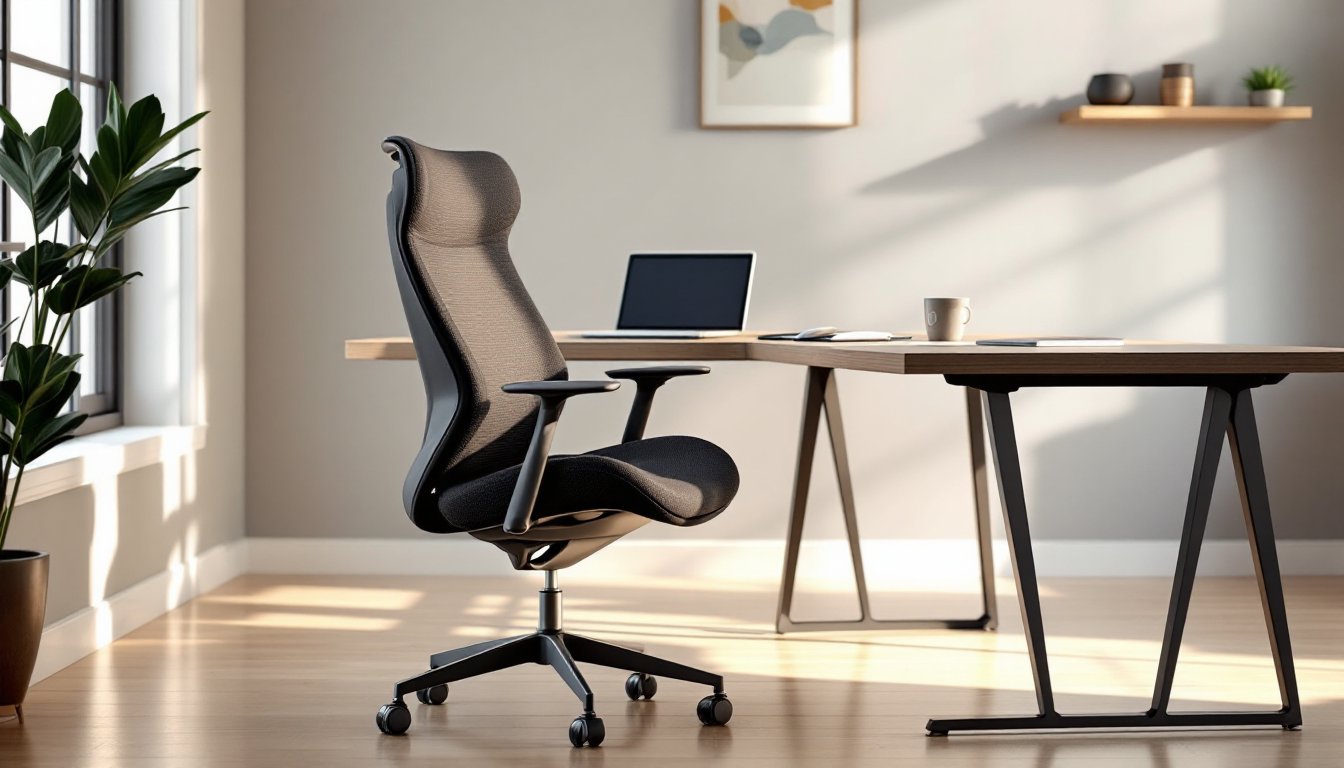
The Embody isn’t built like a conventional task chair. Instead of thick foam cushions over a rigid frame, it uses a dynamic matrix ofPixelatedSupport (more on that below) backed by flexible ribs that respond to movement. The backrest mimics the natural curve of your spine, and the narrow back design encourages better shoulder posture by keeping your arms free and your scapulae from rolling forward.
Most office chairs lock you into one “correct” posture. The Embody does the opposite: it adapts as you shift, lean, or recline, maintaining support whether you’re typing, sketching, or reading on a second monitor. That continuous micro-adjustment reduces pressure points and keeps blood flowing, key when you’re working six- to ten-hour stretches.
The chair also ditches traditional armrests for fully adjustable pivot arms that move in four dimensions: up, down, forward, back, and angled in or out. This means less shoulder strain and better alignment whether you’re mousing, writing, or resting your forearms.
From a build-quality standpoint, it’s rated for 24/7 use and carries a 12-year warranty covering nearly everything except fabric and normal wear. That’s a signal it’s engineered for the long haul, not just the first year of ownership.
Key Features and Ergonomic Benefits
Pixelated Support Technology
The backrest uses a layer of flexible pixelated support, a matrix of individual cells that deform independently under pressure. Think of it like the difference between a solid foam pad and a suspension bridge: each “pixel” adjusts to your body’s contours, spreading load evenly across your back and hips.
This system reduces peak pressure by up to 33% compared to standard foam, according to Herman Miller’s testing. It also keeps the chair breathable, no fabric or mesh traps heat against your skin, which matters during long sessions or in warmer climates.
The seat uses the same pixelated layer, distributing weight to reduce tailbone and sit-bone fatigue. If you’ve ever felt numb after two hours in a chair, this is the engineering meant to solve it.
BackFit Adjustment System
The BackFit adjustment is a dial on the right side of the seat that lets you tune the backrest’s depth and curvature to match your spine. Turn it clockwise, and the back conforms tighter to your lumbar curve. Turn it counter-clockwise, and it flattens slightly for a more relaxed posture.
This isn’t a lumbar pillow you jam behind you, it’s an integrated adjustment that changes the entire support profile. Combined with the tilt tension control and seat height, it gives you a fit that’s closer to custom than off-the-rack.
One note: the BackFit works best when you’ve already set your seat height and depth correctly. Adjusting it first can throw off the whole setup, so follow the order in the setup section below.
Who Should Consider the Embody Chair for Their Home Office?
The Embody is overkill for someone who spends an hour a day checking email. It’s built for people logging six-plus hours daily at a desk, software developers, designers, writers, day traders, remote managers, and anyone whose livelihood depends on sustained focus without physical distraction.
If you’ve dealt with chronic lower back pain, sciatica, or shoulder tension from desk work, the chair’s adaptive support and pressure distribution can make a measurable difference. It won’t fix poor habits (you still need to move and stretch), but it removes a lot of the strain that cheaper chairs impose.
Height-wise, the Embody fits users from roughly 5’0″ to 6’4″. Shorter users benefit from the adjustable seat depth, while taller users appreciate the backrest height and the option for a taller cylinder (available as an upgrade). If you’re outside that range, test it first or consider Herman Miller’s Aeron, which comes in three sizes.
Budget is the other factor. The Embody runs $1,600 to $2,000 depending on fabric, finish, and retailer. That’s a serious investment, but spread over a 12-year lifespan, it’s roughly $11 to $14 per month, less than most people spend on coffee. For a home office setup that includes an executive desk and quality lighting, it’s a proportional spend.
If you’re furnishing a home office on a tighter budget or only working from home a few days a week, there are solid mid-tier ergonomic options. But if you’re all-in on remote work, the Embody is a tool, not a luxury.
Embody vs. Other Herman Miller Chairs: How Does It Compare?
Herman Miller’s lineup includes the Aeron, Sayl, Mirra 2, and Cosm, each with different ergonomic approaches. Here’s how the Embody stacks up.
Embody vs. Aeron: The Aeron uses a woven Pellicle mesh suspension and comes in three sizes (A, B, C). It’s cooler in hot climates and offers a firmer, more structured feel. The Embody is one-size-fits-most and offers a softer, more adaptive feel with better lower back contouring. If you like a chair that “hugs” you, go Embody. If you prefer firm support and breathability, the Aeron wins.
Embody vs. Sayl: The Sayl is Herman Miller’s budget ergonomic option ($500 to $700). It has a flexible Y-Tower back and decent adjustability, but lacks the pixelated support and fine-tuned BackFit system. It’s a great entry-level ergonomic chair but doesn’t compete with the Embody’s all-day comfort for serious desk hours.
Embody vs. Mirra 2: The Mirra 2 offers TriFlex back support and adjustable lumbar at a mid-tier price ($800 to $1,200). It’s more task-focused and less forgiving than the Embody. Good for people who like a firmer, more upright posture and don’t need the Embody’s adaptive range.
Embody vs. Cosm: The Cosm is the newest, designed for zero manual adjustment, sit down and it auto-adjusts. It’s sleek and intuitive, but lacks the granular control the Embody offers. If you want set-it-and-forget-it, the Cosm is appealing. If you want to dial in every parameter, stick with the Embody.
For design-conscious setups, the Embody’s sculpted profile fits well in modern interiors, as highlighted in spaces featured on Design Milk and Elle Decor. It doesn’t scream “office chair” the way some bulkier models do.
Setting Up Your Embody Chair for Maximum Comfort
Out of the box, the Embody needs about 15 minutes of adjustment to fit right. Skipping this step is like buying a high-end tool and using it with the factory settings, you’ll miss most of the benefit.
Step 1: Set Seat Height
Sit with your feet flat on the floor. Adjust the seat height so your thighs are parallel to the ground and your knees are at a 90-degree angle. Your feet shouldn’t dangle, and your hips shouldn’t be lower than your knees. Use the lever under the right side of the seat.
Step 2: Adjust Seat Depth
Pull the lever under the front of the seat and slide forward or back. You want 2 to 4 inches of clearance between the seat edge and the back of your knees. This prevents pressure on your hamstrings and keeps blood flowing.
Step 3: Tune the BackFit
Sit back fully. Reach for the dial on the right side of the seat base. Turn it clockwise to increase lumbar support, counter-clockwise to relax it. You should feel the backrest gently press into your lower back curve without forcing your posture.
Step 4: Set Armrest Height and Width
Raise or lower the arms so your elbows rest comfortably at a 90-degree angle when typing. Adjust the width so your shoulders stay relaxed, not hunched in or splayed out. The arms should support your forearms without lifting your shoulders.
Step 5: Adjust Tilt Tension
Under the seat, there’s a knob that controls tilt resistance. Turn it clockwise to make reclining harder, counter-clockwise to make it easier. Set it so you can lean back with gentle pressure, not a workout, but not a free-fall either.
Step 6: Enable or Lock Tilt
The Embody has a tilt limiter lever on the left side. Push it forward to lock the chair upright, pull it back to allow reclining. For maximum ergonomic benefit, leave tilt enabled. Your spine benefits from micro-movements throughout the day.
Safety note: Don’t adjust the chair while leaning hard into the backrest or armrests, mechanisms can pinch fingers or shift unexpectedly. Make adjustments seated but upright.
After setup, spend a day or two in the chair before making further tweaks. Your body needs time to adapt, especially if you’re coming from a less supportive chair. Fine-tune as needed.
For additional workspace tips and project ideas, Fix This Build That offers solid guides on building custom desk setups and optimizing workshop layouts that pair well with a premium seating investment.