Most home office setups fail before they even start, not because of the desk or the lighting, but because of what’s supporting the person’s spine for eight hours a day. A chair without proper back support turns productivity into punishment. Lower back pain, stiffness, and fatigue don’t just happen: they’re the result of sitting in furniture that treats the human spine like a straight board instead of the naturally curved structure it is. Understanding how ergonomic back support actually works, and how to set it up correctly, can mean the difference between ending the workday energized or ending it searching for ibuprofen.
Table of Contents
ToggleKey Takeaways
- Proper ergonomic office chair back support maintains your lumbar curve and prevents chronic pain, disc degeneration, and sciatic nerve irritation caused by prolonged sitting.
- Effective ergonomic back support requires adjustable lumbar height and depth, high-back design that reaches the shoulder blades, and recline functionality to distribute body weight evenly.
- Choose an ergonomic office chair with lumbar support that matches your body dimensions, existing back issues, and sitting habits—prioritizing tool-free adjustments if multiple people will use it.
- Quality ergonomic chairs with full lumbar adjustability typically cost $300–$500, with mid-range options ($500–$900) offering better materials and longer warranties.
- Proper setup is as important as chair selection: adjust seat height first, then dial in lumbar support height and depth, backrest angle, and tilt tension, rechecking every 30 minutes as your body settles.
- Maintain your ergonomic chair monthly by checking adjustment mechanisms and tightening knobs, as pneumatic cylinders lose pressure and mechanisms wear over time.
Why Back Support Matters in Your Home Office Chair
The human spine has three natural curves: cervical (neck), thoracic (mid-back), and lumbar (lower back). That lumbar curve, the inward arch just above the pelvis, bears the most stress during sitting. Without adequate support, that curve flattens out, forcing muscles and ligaments to work overtime just to keep the torso upright.
Prolonged sitting without lumbar support leads to what’s called posterior pelvic tilt, where the pelvis rotates backward and the lower spine rounds. This position stretches spinal ligaments, compresses intervertebral discs unevenly, and strains the erector spinae muscles. Over weeks and months, this contributes to chronic lower back pain, disc degeneration, and even sciatic nerve irritation.
A home office chair with proper back support maintains the lumbar curve in its natural position, distributing body weight more evenly across the pelvis and spine. This reduces localized pressure, improves circulation, and allows core muscles to engage naturally rather than strain. According to research highlighted on platforms like Houzz, workspace ergonomics, including chair design, directly impacts both physical health and work performance.
Beyond pain prevention, good back support improves posture sustainability. When the spine is properly aligned, the head, shoulders, and hips stack vertically with minimal muscular effort. This reduces fatigue and lets users maintain focus without constant position shifts or discomfort breaks.
Key Features of Effective Ergonomic Back Support
Not all office chairs are built the same, and the difference between true ergonomic support and marketing jargon comes down to specific, adjustable features. Here’s what actually matters.
Lumbar Support Design and Adjustability
Lumbar support is the contoured padding or rigid structure that presses into the lower back, right around the L3-L5 vertebrae (roughly belt-line height). Effective lumbar support should be adjustable in two dimensions: height and depth.
-
Height adjustment: The support should align with the natural curve of each user’s lower back, which varies based on torso length. A lumbar pad fixed at 16 inches from the seat might work for someone 5’10” but miss the mark entirely for someone 5’4″ or 6’2″. Look for chairs with vertical lumbar adjustment of at least 2–4 inches.
-
Depth adjustment: This controls how far the lumbar pad pushes forward into the lower back. Too shallow, and it does nothing: too deep, and it forces an exaggerated arch that’s just as uncomfortable as no support at all. Pneumatic or dial-controlled depth adjustment is ideal: typical range is 0.5 to 2 inches of forward projection.
Some high-end chairs use dynamic lumbar support, which adjusts automatically as the user reclines, maintaining consistent contact. Others use a simple foam cushion with no adjustment at all, fine for occasional use, but not for all-day sitting.
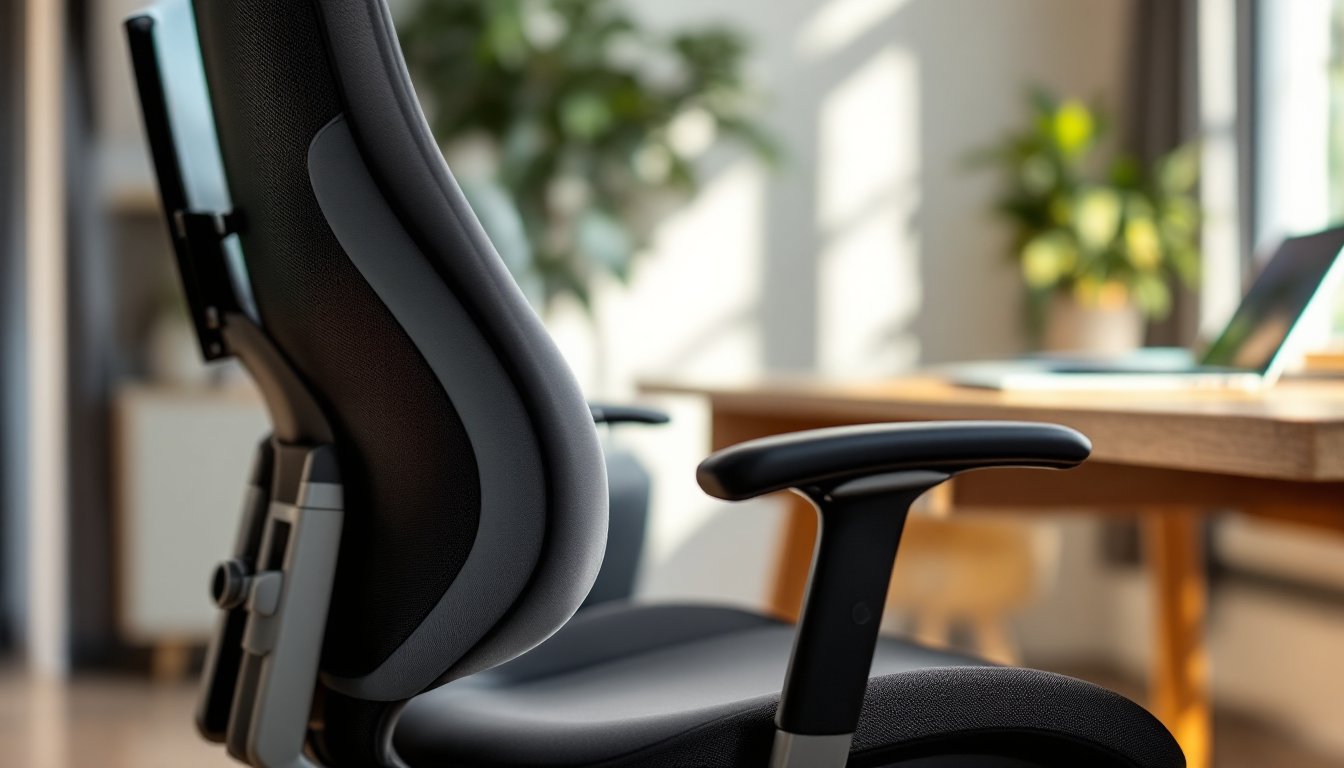
Materials matter, too. Mesh lumbar panels offer breathability and conform to the spine’s shape, while molded foam or rigid plastic frames provide firmer, more structured support. Neither is objectively better: it depends on personal preference and whether the user needs gentle contouring or firm reinforcement.
Backrest Height and Recline Function
The backrest itself should extend high enough to support the thoracic spine and, ideally, reach the shoulder blades or higher. Mid-back chairs (backrest ending around the mid-thoracic region) are common in budget models but don’t support the upper back or neck. High-back chairs are better for extended sitting, especially for users over 5’8″.
Recline function isn’t about napping, it’s about pressure distribution. A backrest that locks at 90 degrees forces the spine into a static position. Look for chairs with synchro-tilt or multi-position tilt, which allow the backrest to recline 10–25 degrees while the seat tilts slightly forward. This shifts body weight from the pelvis to the backrest, reducing disc pressure and improving circulation.
Tilt tension adjustment lets users control how much force is needed to recline. Heavier users need more resistance: lighter users need less. Without this, the chair either feels like a rigid plank or tips back uncontrollably.
Some chairs include tilt lock at multiple angles (e.g., 95°, 105°, 115°), which is useful for alternating between focused work and more relaxed tasks. Chairs without any recline aren’t ergonomic, they’re just padded stools.
How to Choose the Right Back Support for Your Needs
Choosing an office chair isn’t about picking the most expensive model or the one with the most knobs. It’s about matching features to how the user actually sits and works.
Start with body dimensions. Measure seated height from the floor to the top of the shoulders. Compare that to the chair’s backrest height spec. If the backrest is too short, it won’t support the upper back. If it’s too tall for a shorter user, the headrest might push the neck forward.
Consider existing back issues. Users with chronic lower back pain or prior disc injuries often benefit from firmer, adjustable lumbar support with more depth control. Those without specific issues might prefer softer, mesh-based support that’s less intrusive. If there’s a history of sciatica, look for chairs with a waterfall seat edge (front edge curves downward) to reduce pressure on the back of the thighs and sciatic nerve.
Evaluate sitting habits. People who lean forward frequently (typing, writing, detailed work) need a chair that supports a slight forward tilt and maintains lumbar contact even when the torso moves. Those who alternate between tasks, phone calls, reading, computer work, benefit more from multi-position recline and dynamic support.
Check adjustment range. If multiple people will use the chair, or if the user’s work involves different postures throughout the day, prioritize chairs with tool-free, easy-to-reach adjustments for lumbar height, depth, backrest angle, and tilt tension. Chairs that require an Allen wrench to adjust anything will never get properly dialed in.
Budget realistically. Quality ergonomic chairs with full lumbar adjustability typically start around $300–$500. Mid-range options ($500–$900) often add better materials, longer warranties, and more refined adjustments. High-end models ($900+) include premium mesh, advanced tilt mechanisms, and extended size ranges. Prices vary by region and retailer: sales and refurbished models can reduce cost significantly. For guidance on selecting home office furniture that balances function and style, CNET offers detailed product comparisons across price points.
Test before buying, if possible. Sit in the chair for at least 10–15 minutes. Adjust the lumbar support and backrest. If the lower back feels supported without pressure points, and the shoulders can relax without slouching, it’s worth considering. If it feels “off” immediately, it won’t get better with time.
Setting Up Your Chair for Optimal Back Support
Buying an ergonomic chair is only half the job. Improper setup negates even the best features. Here’s how to dial it in.
1. Set seat height first. Feet should rest flat on the floor (or on a footrest) with thighs parallel to the ground and knees at roughly 90–100 degrees. This establishes the baseline for all other adjustments. If the seat is too high, pressure builds under the thighs: too low, and the hips drop below the knees, flattening the lumbar curve.
2. Adjust lumbar support height. Sit all the way back in the chair. The lumbar pad should contact the lower back at the belt line or just below. If it’s pressing into the mid-back or floating below the curve, adjust the height until it feels like a gentle, continuous push into the natural arch.
3. Dial in lumbar depth. Start with minimal depth, then gradually increase until the support feels present but not forceful. The goal is to maintain the lumbar curve, not exaggerate it. If the support feels like it’s pushing the torso forward, back it off slightly.
4. Adjust backrest angle and tilt tension. Sit upright in a typical working posture. The backrest should contact the entire back without forcing the torso forward. Adjust tilt tension so the chair reclines with light pressure but doesn’t tip back uncontrollably. Lock the tilt at 95–105 degrees for focused work, or leave it unlocked for dynamic movement.
5. Check armrest height (if applicable). Armrests should support the forearms lightly without lifting the shoulders or forcing a slouch. If they interfere with getting close to the desk, lower them or remove them. Poorly positioned armrests can force users to lean forward, negating back support.
6. Re-check after 30 minutes. The body settles into a chair over time. After half an hour of work, reassess. Is the lumbar support still hitting the right spot? Is there pressure building anywhere? Fine-tune as needed. Design and functionality insights from sources like Homedit emphasize that personalized setup transforms furniture into true ergonomic tools.
7. Maintain adjustments. Over time, pneumatic cylinders lose pressure, tension knobs loosen, and adjustment mechanisms wear. Check settings monthly and tighten or readjust as needed. If the chair no longer holds adjustments, it’s time to service or replace it, no amount of “making do” will restore proper support.
Conclusion
Ergonomic back support isn’t a luxury for home offices, it’s foundational infrastructure. A chair that maintains the lumbar curve, adjusts to the user’s body, and supports dynamic movement keeps the spine healthy and the mind focused. Get the setup right, and the chair becomes invisible. Get it wrong, and every hour at the desk becomes a countdown to discomfort.