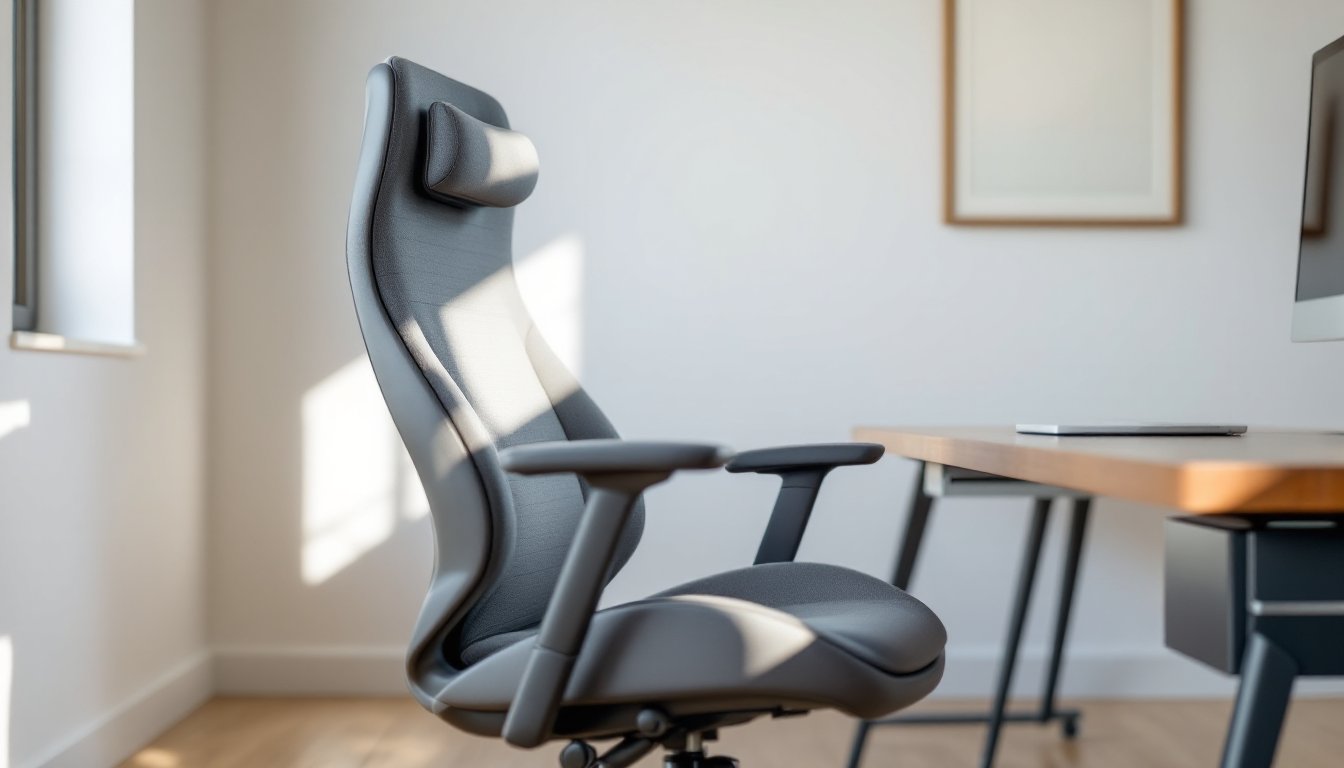
Setting up a functional home office means choosing furniture that works as hard as you do. A gray ergonomic office chair isn’t just about filling a corner of the room, it’s an investment in your posture, productivity, and long-term comfort. Gray strikes a practical balance: neutral enough to match nearly any decor scheme while avoiding the clinical feel of black or the stain-prone reality of lighter colors. Whether you’re outfitting a dedicated workspace or carving out a corner in a multi-use room, the right chair makes a measurable difference in how your body feels at the end of the workday.
Table of Contents
ToggleKey Takeaways
- A gray ergonomic office chair balances neutral aesthetics with practical durability, hiding dust and wear while blending seamlessly with diverse home office styles without dating quickly.
- Essential ergonomic features include adjustable lumbar support, height-adjustable seat depth, and 4D-capable armrests that reduce back strain and neck tension during extended work sessions.
- Mesh and fabric gray chairs prioritize airflow and affordability, while polyurethane leather offers spill resistance—choose based on your climate, daily usage, and pet environment.
- Proper setup requires adjusting seat height for 90-110 degree hip angles, positioning lumbar support at belt line, and setting armrests for 90-degree elbows to maximize the ergonomic office chair’s comfort benefits.
- BIFMA-certified gray ergonomic chairs tested for back pain relief show measurable improvements in posture alignment after eight-hour work sessions, making them a smart investment over standard dining chairs.
Why Choose a Gray Ergonomic Office Chair for Your Home Office?
Gray office chairs deliver practical benefits beyond aesthetics. The color hides minor dust and wear better than white or beige, which matters when the chair sits in a living room or bedroom doubling as an office. Unlike black, which can feel heavy or corporate in residential settings, gray tones, from charcoal to light heather, blend seamlessly with wood furniture, painted accent walls, or industrial metal desks.
Ergonomic design addresses the reality of sitting for extended periods. Standard dining chairs lack lumbar support and adjustability, leading to lower back strain and neck tension. Ergonomic models use contoured backrests that mirror the spine’s natural curve, reducing pressure on the L4-L5 vertebrae where most lower back pain originates. When shopping, look for chairs with BIFMA certification (Business and Institutional Furniture Manufacturers Association), which tests for durability and safety standards. Many models tested for back pain relief show significant improvement in posture alignment after eight-hour work sessions.
Gray also offers flexibility for resale or room changes. If you repaint walls or swap desks, the chair doesn’t need to follow. That neutrality makes gray a smarter pick than trendy accent colors that date quickly or clash with future decor shifts.
Essential Ergonomic Features to Look For
Not all ergonomic chairs perform equally. Understanding specific adjustment mechanisms helps you identify models worth the investment versus marketing buzzwords.
Lumbar Support and Adjustable Backrest
Adjustable lumbar support is non-negotiable. The lumbar region sits roughly 8-10 inches above the seat pan, and everyone’s torso length differs. Fixed lumbar pads often miss the mark, pushing into the mid-back or floating too low to support the curve. Look for height-adjustable lumbar mechanisms, either a dial, paddle, or knob that moves the support pad up and down independent of the backrest.
Backrest tilt and tension matter just as much. Tilt lock lets you secure the backrest at a fixed angle, while tilt tension adjustment controls how much force it takes to recline. Heavier users need firmer tension to avoid the chair tipping backward: lighter users need less resistance. Some chairs offer synchro-tilt, where the seat tilts slightly as the backrest reclines, maintaining proper thigh support. This prevents the “waterfall edge” effect where the seat pan digs into the back of your thighs when leaning back.
Backrest height should reach at least mid-shoulder blade. Shorter backrests (under 20 inches) won’t support taller users properly, forcing slouching or forward lean.
Seat Height, Depth, and Armrest Adjustability
Seat height adjustment is standard, but the range matters. Pneumatic cylinders typically offer 3-5 inches of travel. For proper ergonomics, feet should rest flat on the floor with thighs parallel to the ground (a 90-110 degree hip angle). Shorter users (under 5’4″) may need a footrest if the chair’s minimum height is too tall, even when fully lowered.
Seat depth adjustment (also called seat pan slide) changes how far forward or back you sit. Proper depth leaves 2-4 inches between the back of your knees and the seat edge. Too much depth forces you to choose between lumbar support (sitting back) or thigh support (sliding forward). Too little depth leaves your thighs unsupported. Not all budget chairs include this feature, it’s common on models above $250.
Armrests should adjust in at least two dimensions: height and width. Fixed armrests either force your shoulders up (creating neck tension) or hang uselessly low. Adjustable arms let your elbows rest at a 90-degree angle while typing, reducing shoulder and upper back strain. 4D armrests add forward/backward tilt and pivot, useful if you shift between keyboard work and reading. If armrests don’t adjust wide enough, they’ll block you from pulling close to the desk.
One practical note: if you’re installing the chair yourself, budget 20-30 minutes for assembly. Most ship in 5-8 pieces with Allen wrenches included. Keep a Phillips head screwdriver handy for armrest bolts.
How Gray Chairs Complement Different Home Office Styles
Gray works across design schemes because it functions as a neutral anchor rather than a focal point. Here’s how it fits specific styles commonly seen in home offices.
Modern/Minimalist: Pair a charcoal mesh chair with a white or light oak desk. The open weave of mesh keeps sightlines clean, and darker gray adds contrast without the harshness of black. Avoid overly padded executive styles, they’ll clash with the streamlined aesthetic.
Industrial: Medium gray fabric or leather chairs complement exposed brick, metal shelving, and reclaimed wood desks. Look for models with aluminum or polished steel bases rather than black plastic five-star bases. The metallic accents tie into pipe shelving and Edison bulb fixtures common in industrial spaces.
Traditional/Transitional: Light gray upholstered chairs with tufted backs or nailhead trim bridge the gap between formal and casual. These work well with dark wood desks (walnut, cherry, mahogany) and built-in bookshelves. Avoid mesh in traditional settings, it reads too contemporary.
Scandinavian: Pale gray fabric chairs with light wood accents (beech or ash armrests, bentwood backrests) reinforce the airy, natural material palette. Stick with low-profile designs, chunky executive chairs overpower the minimalist Scandi vibe.
If the home office shares space with a bedroom or living area, gray helps the chair disappear when not in use. A bold red or teal chair becomes a visual anchor that fights with other room elements: gray recedes, letting artwork or shelving take precedence.
Material Options: Mesh, Fabric, and Leather in Gray
Material choice affects durability, maintenance, and comfort. Here’s what to expect from each in gray tones.
Mesh: Elastomeric mesh (like on Herman Miller Aeron or Steelcase Leap) stretches to conform to your back while allowing airflow. Gray mesh hides dust better than black and won’t show sweat marks during summer months. It’s ideal for rooms without climate control or naturally warm climates. Downsides: mesh offers less padding, so it feels firmer than upholstered options. Cheaper mesh (under $150) sags within 1-2 years: expect to spend $300+ for durable weaves. Mesh also snags on belt buckles or sharp objects.
Fabric: Woven polyester or nylon blends in gray provide more cushion than mesh and typically cost less. Look for commercial-grade fabrics rated 50,000+ double rubs (Wyzenbeek abrasion test) if you’ll use the chair daily. Lighter grays show stains from coffee spills or hand oils: medium to charcoal grays are more forgiving. Many lab-tested office chairs use treated fabrics that resist moisture and staining. Fabric chairs accumulate dust and pet hair, plan to vacuum them monthly. Avoid fabric if you have cats: claws shred upholstery quickly.
Leather and Faux Leather: Full-grain leather in gray develops a patina over time and wipes clean easily, but it’s pricey ($600+) and can feel sticky in humid conditions. Bonded leather (leather scraps glued to a fabric backing) peels and flakes within 2-3 years, skip it. Polyurethane (PU) leather offers a middle ground: wipeable, durable, and available in consistent gray shades. It won’t breathe like mesh, so expect your back to feel warmer during long sitting sessions. PU leather works well in high-traffic or multi-user home offices where spill resistance matters.
Gray tone consistency varies by material. Mesh grays lean cooler (blue-gray undertones), while leather grays often read warmer (greige or taupe-gray). If matching to existing furniture, request fabric swatches before buying, computer screens distort color.
Setting Up Your Gray Ergonomic Chair for Maximum Comfort
Buying an ergonomic chair doesn’t guarantee comfort, you need to adjust it correctly. Follow this setup sequence after assembly.
-
Seat Height: Sit fully back with feet flat on the floor. Adjust the pneumatic lever until your thighs are parallel to the ground or angled slightly downward (hips above knees). Your desk should sit at elbow height when arms hang naturally at your sides. If the desk is too low after adjusting the chair, you may need a keyboard tray: if too high, raise the desk with bed risers or replace it.
-
Seat Depth: Slide the seat pan (if adjustable) so there’s 2-4 inches of clearance behind your knees. You should feel the backrest supporting your lumbar region without needing to scoot forward.
-
Lumbar Support: Adjust the lumbar pad height until it sits in the small of your back, roughly at belt line. Some chairs use a dial on the side: others require loosening a bolt behind the backrest. The support should feel like gentle forward pressure, not a hard knob digging in.
-
Armrests: Raise or lower arms so your elbows bend at 90 degrees with shoulders relaxed (not shrugged). Adjust width so arms sit comfortably without splaying your elbows out or cramping them in. If armrests prevent you from pulling close to the desk, angle them outward or remove them entirely, poor shoulder posture causes more problems than unsupported forearms.
-
Backrest Tilt and Tension: Set tilt tension so the backrest supports you without requiring effort to stay upright, but doesn’t fling you backward when you lean. Lock the tilt at 90-110 degrees for focused work: unlock it for reading or phone calls. Some users prefer slight recline (100-105 degrees) to reduce disc pressure, experiment to find what reduces strain.
-
Monitor Placement: Position your screen 20-26 inches from your eyes (arm’s length) with the top of the display at or slightly below eye level. This prevents neck flexion and complements the chair’s ergonomic support. Use a monitor arm or stack books under the base if needed.
Revisit adjustments after a week of use. Your body adapts to proper posture, and what felt comfortable initially may need fine-tuning. If you experience persistent lower back pain, hip discomfort, or numbness in your legs after setup, expert reviews of ergonomic chairs suggest consulting a physical therapist, chair adjustments can’t compensate for underlying musculoskeletal issues.