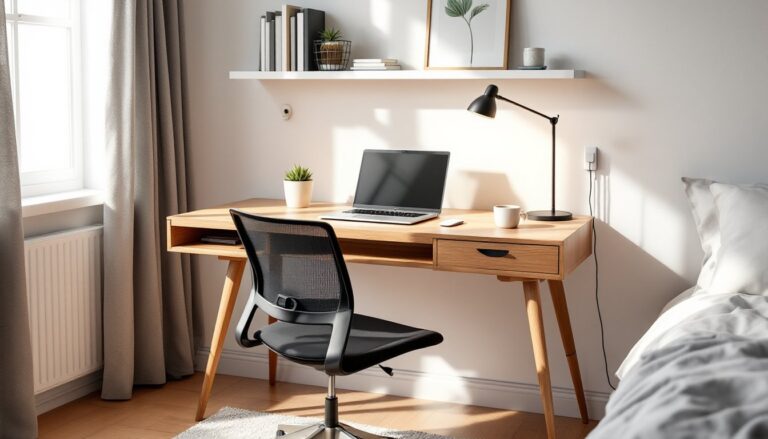
The Hyken office chair, manufactured by Staples, has become a go-to budget ergonomic option for home offices across the country. With mesh backing, adjustable components, and a price point that doesn’t require a second mortgage, it’s caught the attention of remote workers, DIYers setting up dedicated workspaces, and anyone tired of hunching over a kitchen chair during Zoom calls. But is the Hyken actually worth the hype, or does it fall short when you’re logging eight-hour days? This guide breaks down the chair’s practical features, assembly realities, and whether it deserves a spot in your home office setup.
Table of Contents
ToggleKey Takeaways
- The Hyken office chair delivers budget-friendly ergonomic support with mesh backing, adjustable lumbar support, and a headrest—making it a practical alternative to premium $1,000+ models for remote workers and home office setups.
- Breathable mesh construction prevents heat and sweat buildup during long work sessions while maintaining shape better than foam padding that compresses over time.
- The Hyken’s vertically sliding lumbar support and adjustable tilt tension allow personalized comfort, though fixed-height armrests and a limited headrest height cap its appeal for users over 6’2″.
- Assembly takes 20–30 minutes with included tools, but properly tightening all bolts—especially the seat-to-bracket connection—is critical to prevent wobbling and ensure long-term durability.
- The chair suits users between 5’2″ and 6’0″ who work 4–8 hours daily, prefer a firm mesh feel, and value breathability over plush padding without requiring premium construction materials.
What Makes the Hyken Office Chair Stand Out
The Hyken isn’t trying to compete with $1,200 Herman Miller models. Instead, it occupies a sweet spot between cheap big-box store chairs that collapse after six months and premium ergonomic thrones that cost more than most desks.
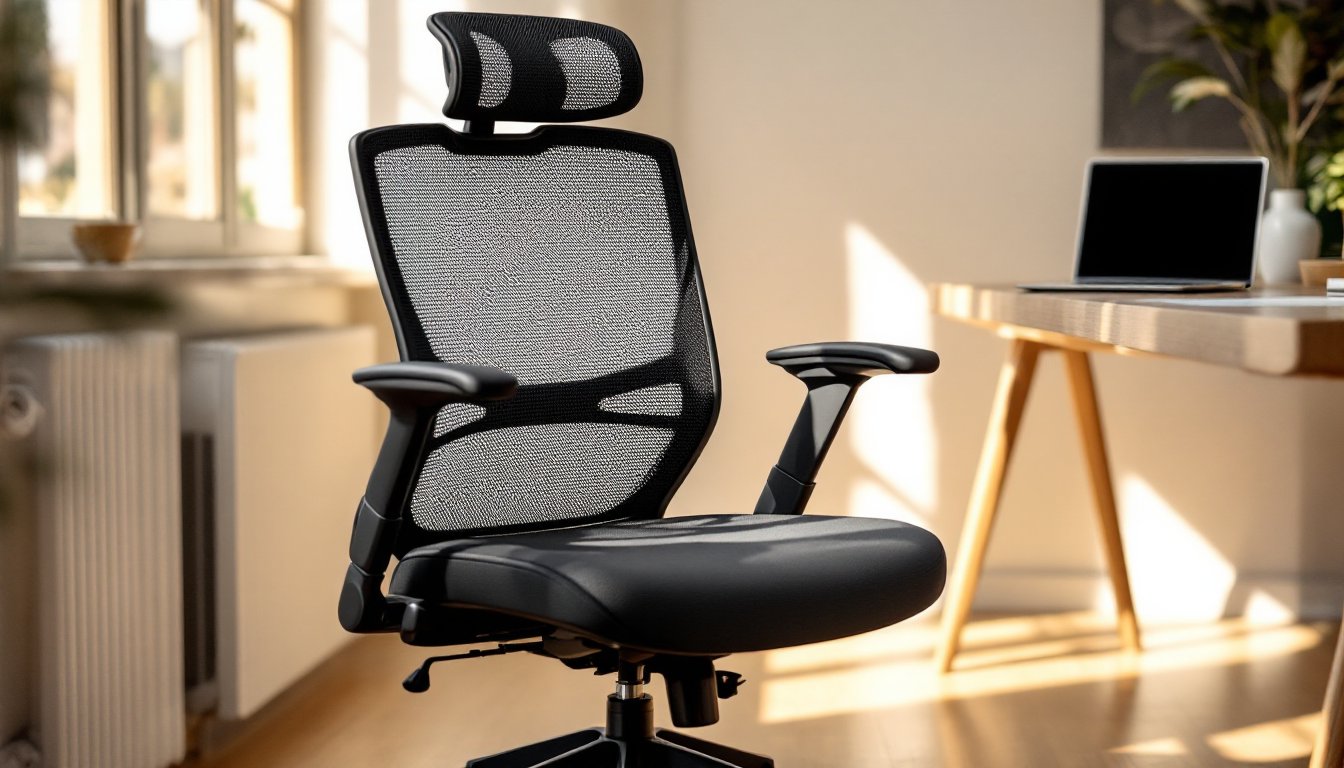
First, there’s the mesh back panel, a breathable alternative to padded upholstery that traps heat and sweat. If you’ve ever peeled yourself off a vinyl chair in July, you’ll appreciate this. The mesh conforms to your spine without creating pressure points, and it holds its shape better than foam padding that compresses over time.
Second, the Hyken offers adjustability that punches above its price class. You get adjustable lumbar support (vertically sliding, not just a fixed curve), height adjustment via pneumatic cylinder, tilt tension control, and a headrest that moves up and down. Many chairs in this range skip the headrest entirely or bolt it at a fixed height that works for exactly nobody.
Third, it’s designed with home office realities in mind. The footprint fits standard home office layouts without dominating a 10×10 spare bedroom. The armrests flip up, so you can tuck the chair under most desks when you’re done. And the casters roll smoothly on both carpet and hard flooring, though you’ll want a chair mat on hardwood to prevent scuffing.
The Hyken consistently appears in roundups of top office chairs for its balance of features and affordability, which speaks to its real-world performance beyond marketing copy.
Key Features and Ergonomic Benefits
Mesh Back Design and Breathability
The mesh back is the Hyken’s signature feature, and it delivers on the breathability promise. The weave is tight enough to provide support but open enough to allow airflow. You won’t end up with a sweat-soaked shirt after a marathon project session or long workday.
Mesh also has structural advantages. Unlike foam that bottoms out after a year of daily use, quality mesh maintains tension and shape. The Hyken’s mesh is tensioned across a plastic frame, not the most premium construction (higher-end chairs use aluminum), but it’s held up well in long-term user reports.
One caveat: mesh doesn’t provide the plush, cushioned feel some people prefer. If you’re coming from a padded executive chair, the initial feel is firmer. Most users adapt within a few days, but if you have existing tailbone or lower back issues, test before committing if possible.
Adjustability Options for Personalized Comfort
Ergonomics aren’t one-size-fits-all, and the Hyken acknowledges this with several adjustment points.
Lumbar support slides vertically along the backrest, so you can position it exactly where your lower back curves. This is critical, lumbar support bolted at a fixed height only works if you happen to match the designer’s assumed body proportions. The adjustment range accommodates users roughly 5’2″ to 6’2″, though taller users report the headrest doesn’t go high enough.
Seat height adjusts via a pneumatic cylinder (the lever on the right side beneath the seat). The range is approximately 17.5 to 21.5 inches from floor to seat, which covers most standard desk heights of 28 to 30 inches. If you’re pairing this with a home office executive desk, verify your desk height falls in that range for proper ergonomic alignment, your elbows should rest at 90 degrees when typing.
Tilt tension is controlled by a knob under the seat. Tighten it, and the backrest resists when you lean back. Loosen it, and the chair rocks more freely. This isn’t a full recline mechanism, it’s a synchro-tilt that moves the seat and back together, but it allows enough movement to shift positions throughout the day.
The headrest adjusts vertically about 2.5 inches and pivots slightly. It’s functional for users under six feet but won’t cradle the head of taller individuals. The armrests are fixed-height and fixed-width, which is the Hyken’s biggest ergonomic compromise. You can flip them up out of the way, but you can’t adjust them to match your exact elbow height or shoulder width.
Assembly and Setup Tips for Your Home Office
The Hyken ships in a flat box weighing around 45 pounds. Assembly is straightforward if you’ve ever put together flat-pack furniture, but there are a few gotchas to avoid.
Tools needed: The chair includes an Allen wrench and all necessary bolts. You don’t need additional tools, but having a Phillips screwdriver on hand speeds things up for a couple of optional steps.
Assembly steps (expect 20 to 30 minutes):
-
Attach the casters to the five-star base. Push them firmly into the socket until they click, don’t just set them in loosely, or they’ll pop out under load.
-
Insert the pneumatic cylinder into the center hole of the base. No bolts required: it friction-fits. Slide the plastic cover over the cylinder.
-
Attach the seat plate to the bottom of the seat cushion using the four bolts and the included Allen wrench. Snug these down firmly, loose bolts here cause wobble and eventual failure.
-
Connect the backrest to the seat bracket. This is the trickiest step. Align the metal tabs on the backrest with the slots on the bracket, slide them together, then secure with the large bolt and washer. You may need to wiggle the backrest while tightening to get everything lined up. Don’t overtighten and strip the threads, but it needs to be firm.
-
Attach the headrest by sliding the posts into the holes at the top of the backrest. Tighten the side knobs to lock it at your preferred height.
-
Drop the seat assembly onto the pneumatic cylinder. It’s a friction fit, just align the hole in the seat mechanism with the top of the cylinder and press down. You’ll feel it seat.
Common mistakes: The biggest issue people report is not fully tightening the seat-to-bracket bolts. If the chair feels wobbly or creaky after assembly, that’s usually the culprit. Also, make sure the backrest is oriented correctly, the lumbar support should curve outward, not inward.
Surface protection: If you’re placing the Hyken on hardwood, laminate, or tile, use a chair mat. The plastic casters will roll fine, but over time they can scuff or dent softer flooring. For carpet, the standard casters work well on low-pile: high-pile or shag carpet may require aftermarket rollerblade-style caster wheels for smoother movement.
Desk pairing: The Hyken works with most standard desks, but verify clearance if your desk has a keyboard tray or low crossbar. The armrests need about 25 inches of clearance to slide under the desk when flipped up.
Pros and Cons: Is the Hyken Right for You?
Pros:
- Breathable mesh back keeps you cool during long work sessions, a real advantage in warmer climates or home offices without dedicated HVAC.
- Adjustable lumbar support that actually moves to fit your spine, not a token fixed pad.
- Solid build quality for the price, the frame is mostly plastic and metal, not the all-plastic construction of cheaper models.
- Headrest included, which many chairs in this price bracket omit entirely.
- Compact footprint suitable for smaller home offices or multi-use spaces.
- Easy assembly with clear instructions and included tools.
- Tilt tension control lets you customize how much resistance you want when leaning back.
Cons:
- Fixed-width, fixed-height armrests. You can flip them up, but you can’t dial in the perfect elbow support. This is the biggest ergonomic limitation, especially for users with wider or narrower shoulders.
- Headrest height limited for users over 6 feet tall. If you’re 6’2″ or above, expect the headrest to hit mid-skull rather than cradling your head.
- Plastic frame components instead of aluminum or steel in higher-end models. It’s durable enough for home use, but won’t survive a commercial office environment for years.
- Mesh firmness won’t suit everyone. If you prefer a plush, padded feel, the Hyken’s mesh may feel too firm initially.
- Casters can scuff hard flooring without a chair mat. Budget an extra $20 to $40 for a quality mat if you’re not on carpet.
- Moderate weight capacity, rated around 250 to 275 pounds. Heavier users should verify current specs and consider reinforced alternatives.
Who should buy the Hyken:
- Remote workers or students logging four to eight hours daily in a home office.
- People who run hot and hate padded chairs that trap heat.
- DIYers setting up a dedicated workspace on a budget who want decent ergonomics without premium pricing.
- Users between 5’2″ and 6’0″ who fit the adjustment range comfortably.
Who should skip it:
- Anyone over 6’2″ or under 5’0″, the adjustment range won’t accommodate you well.
- Users who need fully adjustable armrests (4D adjustability) for precise ergonomic setup.
- People who prefer a plush, padded seat and backrest over firm mesh.
- Heavy users over 275 pounds, check weight capacity and consider heavy-duty alternatives.
The Hyken has earned mentions in several roundups of best office chairs for good reason, it delivers practical ergonomics at a price that doesn’t break a home office budget. It’s not perfect, but it’s a smart choice for the right user.
Conclusion
The Hyken office chair won’t win design awards or last twenty years in a corporate call center, but it delivers solid ergonomic support for home office use at a price point that makes sense for most DIYers and remote workers. If you fit the height range, appreciate breathable mesh, and don’t need fully adjustable armrests, it’s a practical upgrade from whatever kitchen chair you’ve been suffering through. Pair it with proper desk height, add a chair mat if needed, and you’ve got a functional workspace that won’t leave you with a sore back at the end of the day.