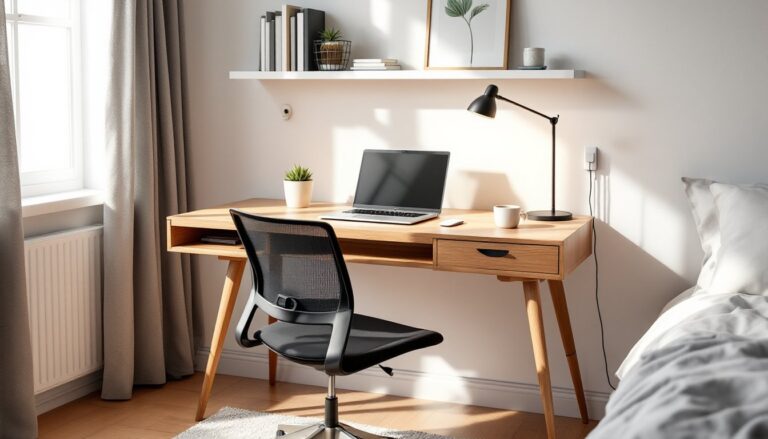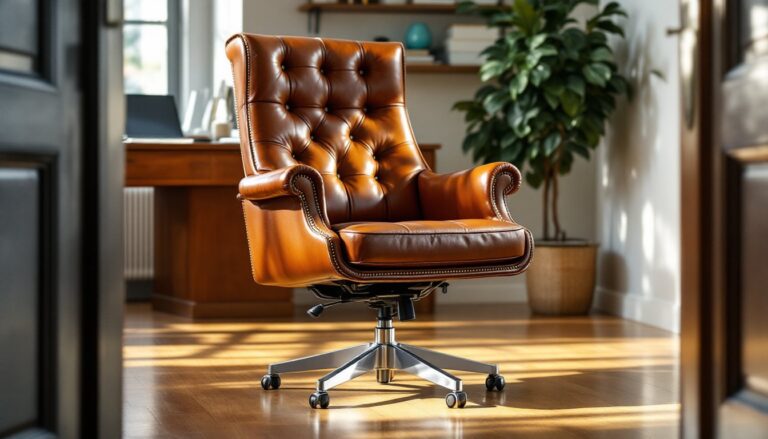
A quality ergonomic office chair isn’t just furniture, it’s the foundation of a comfortable, productive workspace. Whether someone’s setting up a home office for the first time or upgrading from a hand-me-down desk chair that’s wrecking their back, the right chair makes an immediate difference. Poor seating leads to chronic pain, fatigue, and distraction, turning even simple tasks into a physical challenge. The good news? Today’s ergonomic chairs offer adjustability and support that genuinely works, but only if the buyer knows what features matter and how to use them correctly.
Table of Contents
ToggleKey Takeaways
- A good ergonomic office chair supports the spine’s natural S-curve through independent adjustments for lumbar support, seat height, armrest positioning, and recline tension—not marketing labels alone.
- Seat height and depth must fit your body precisely: feet flat on the floor with thighs parallel to the ground, and 2-3 inches of clearance behind the knees prevents circulation issues and spinal strain.
- Invest $300-$600 for solid ergonomic performance if sitting 4-5 hours daily, or $700+ for premium features if you work 8+ hours—skimping on a primary work tool leads to chronic pain and productivity loss.
- Proper setup takes only 10 minutes but transforms a feature-rich chair into actual support: adjust seat height, lumbar position, armrest angle, and recline tension based on your desk height and body dimensions.
- Test the chair in person when possible and confirm a 30-day return policy to identify pressure points and ensure controls are intuitive before committing to your purchase.
What Makes an Office Chair Truly Ergonomic?
Ergonomic design means the chair adapts to the user’s body, not the other way around. A truly ergonomic office chair supports the natural S-curve of the spine, reduces pressure points, and allows the user to maintain neutral posture throughout the workday.
The term “ergonomic” gets slapped on nearly every office chair these days, but real ergonomic performance comes down to adjustability and biomechanical support. The chair should enable the user to sit with feet flat on the floor (or footrest), thighs parallel to the ground, and arms at a 90-degree angle when typing. Anything less means compensating with poor posture, which leads to strain over time.
Key markers of genuine ergonomic design include independent adjustments for seat height, lumbar support position, armrest height and width, seat depth, and recline tension. A chair with only a pneumatic lift and fixed everything else isn’t ergonomic, it’s just a standard office chair with a label.
Materials matter, too. Breathable mesh backs prevent heat buildup during long sessions, while high-density foam seat cushions (minimum 2 inches thick) maintain support without bottoming out after a few months. The base should have a five-point star with casters rated for the floor type, hard casters for carpet, soft rubber-coated for hardwood or tile to prevent scratches.
Essential Features to Look for in a Good Ergonomic Office Chair
Shopping for an ergonomic chair means cutting through marketing fluff and focusing on features that actually reduce strain and increase comfort. Not every feature is essential for every user, but understanding what’s available helps match the chair to specific needs.
Adjustable Lumbar Support and Seat Height
Lumbar support is non-negotiable. The lower back curves inward (lordosis), and proper support maintains that curve instead of letting it flatten or round out. Fixed lumbar padding doesn’t work because everyone’s spine is different, the support needs to adjust up and down by at least 2-3 inches to hit the right spot.
Look for chairs with independent lumbar adjustment mechanisms, either via a knob, lever, or inflatable bladder system. Some high-end models offer both height and depth adjustment, pushing the support forward for more aggressive lower-back reinforcement. That’s ideal for anyone who’s had previous back issues or sits for 6+ hours daily.
Seat height adjustment via pneumatic cylinder is standard, but the range matters. The cylinder should allow a height range of approximately 16 to 21 inches from the floor to accommodate users from about 5’0″ to 6’4″. Shorter or taller users may need specialized models. Test the range before buying, if someone can’t get their feet flat on the floor at the lowest setting, the chair won’t work.
Seat height directly affects circulation. When thighs slope downward (seat too high), pressure builds behind the knees and restricts blood flow. When knees are higher than hips (seat too low), the pelvis tilts backward, flattening the lumbar curve and straining the lower back.
Armrests, Seat Depth, and Recline Functions
Armrests should adjust in at least two dimensions: height and width. Fixed-width armrests force users into unnatural shoulder positions, either hunched inward or splayed outward. Look for 4D armrests that adjust height, width, depth (forward/backward), and pivot angle. This allows proper arm support without interfering with desk height or keyboard position.
Height-adjustable armrests should allow the user’s forearms to rest lightly while keeping shoulders relaxed, not shrugged or drooping. If the armrests are too high, they push the shoulders up, causing neck and trapezius tension. Too low, and they’re useless, users end up leaning sideways or not using them at all.
Seat depth adjustment (also called seat pan slide) moves the seat cushion forward or backward by 2-4 inches. This matters because leg length varies even among people of the same height. Proper seat depth leaves about 2-3 inches of clearance between the back of the knees and the front edge of the seat. Too much depth and the user either perches forward (losing back support) or presses the seat edge into the back of the knees (cutting off circulation).
The recline function should include tilt tension adjustment and a tilt lock. Tilt tension controls how much force it takes to lean back, heavier users need more resistance, lighter users need less. A good mechanism offers a range that doesn’t bottom out or feel too stiff. The tilt lock allows the user to lock the backrest at various angles, which is useful when shifting between focused work (upright) and reading or thinking (slightly reclined). Some chairs offer synchro-tilt, where the seat and back recline together at a biomechanically optimized ratio (typically 2:1). This keeps the user’s body aligned during recline, reducing spinal stress.
How to Choose the Right Ergonomic Chair for Your Home Office
Selecting the right chair starts with honest assessment of work habits, body dimensions, and workspace constraints. No single chair works for everyone, so matching features to actual needs prevents buyer’s remorse.
First, consider time spent sitting. Someone working 4-5 hours a day can get by with mid-range adjustability and moderate cushioning. Anyone sitting 8+ hours daily needs top-tier lumbar support, seat depth adjustment, and high-quality materials that won’t degrade quickly. Don’t cheap out if the chair is a primary work tool, budget $300 to $600 for solid ergonomic performance, or $700+ for premium features and longevity.
Next, measure the user’s height and weight. Most ergonomic chairs are rated for users between 5’4″ and 6’2″ and up to 250-300 lbs. Outside those ranges, look for petite or big-and-tall models with appropriate cylinder stroke lengths, reinforced frames, and wider seat pans. Weight limits aren’t just about frame strength, they also reflect cushion density and cylinder durability.
Evaluate the desk height and workspace layout. Standard desks are 28-30 inches tall, but sit-stand desks and older furniture vary. The chair’s maximum seat height should allow thighs to be parallel to the floor with arms at desk level. If the desk is non-adjustable and too high, consider adding a keyboard tray or adjustable desk converter rather than compensating with a poorly fitted chair.
Think about floor type. Hard casters work on carpet, soft rubber-coated casters protect hardwood, tile, or laminate. Using the wrong type either damages the floor or makes the chair hard to move. Some office design ideas incorporate chair mats, which add a layer of protection and make rolling easier on any surface.
Test the chair if possible. Online reviews and expert testing provide valuable insights, but sitting in the chair reveals pressure points, cushion firmness, and whether the controls are intuitive. If buying online, confirm the return policy, most reputable sellers offer 30-day trials.
Finally, consider aesthetics within reason. A chair that clashes with a carefully planned home office setup might get replaced prematurely, wasting money. Fortunately, ergonomic chairs now come in various finishes, mesh, leather, fabric, and mixed materials, so finding a functional option that fits the decor is easier than it used to be.
Setting Up Your Ergonomic Chair for Maximum Comfort
Buying the right chair is only half the job. Proper setup transforms a feature-rich chair into actual ergonomic support. Most users skip this step and wonder why their expensive chair doesn’t help, adjustment takes 10 minutes and makes all the difference.
Start with seat height. Sit with feet flat on the floor (or footrest). Thighs should be parallel to the ground or angled slightly downward. Knees should be at or just below hip level. Adjust the pneumatic lever until this position is achieved. If the desk is too high and raising the seat causes feet to dangle, add a footrest.
Next, adjust seat depth. Slide the seat pan (if adjustable) so there’s 2-3 inches of clearance between the back of the knees and the seat edge. Sit all the way back against the lumbar support, if the knees press into the seat edge, pull the seat pan forward.
Set the lumbar support height. The support should contact the lower back right at the belt line, supporting the natural inward curve. Some users need it higher, some lower, adjust and test by sitting for a few minutes. If the back still feels unsupported or the user is tempted to add a cushion, the lumbar isn’t in the right spot.
Adjust armrests so forearms rest lightly with shoulders relaxed. Elbows should be at roughly 90 degrees when typing. Armrests shouldn’t push shoulders up or force arms outward. Adjust width, height, and angle to match natural arm position. If armrests interfere with getting close to the desk, pivot them outward or remove them (though most users benefit from proper armrest support).
Set recline tension and tilt lock. Lean back gently, the chair should recline with moderate resistance, not slam backward or require excessive force. Adjust the tension knob (usually under the seat) until the recline feels controlled. Lock the tilt if a fixed position is preferred, or leave it unlocked for dynamic sitting. Many ergonomic experts recommend allowing some movement rather than locking upright, as micro-movements reduce static strain.
Finally, double-check the setup after a few days. Initial adjustments might need tweaking as the user becomes aware of subtle pressure points or posture shifts. Chairs with highly rated ergonomic features often include detailed setup guides, don’t ignore them.
Safety note: When adjusting pneumatic height, never put hands or fingers near the cylinder or under the seat while pressing the lever. Pneumatic cylinders are under pressure and can cause pinch injuries if mishandled.
Conclusion
A good ergonomic office chair is an investment in long-term comfort and health, not a luxury. Choosing one means prioritizing adjustability, build quality, and proper fit over brand hype or aesthetics alone. Once the right chair is in place and correctly adjusted, it becomes invisible, work happens without constant shifting, back pain, or fatigue. That’s the true measure of ergonomic success.