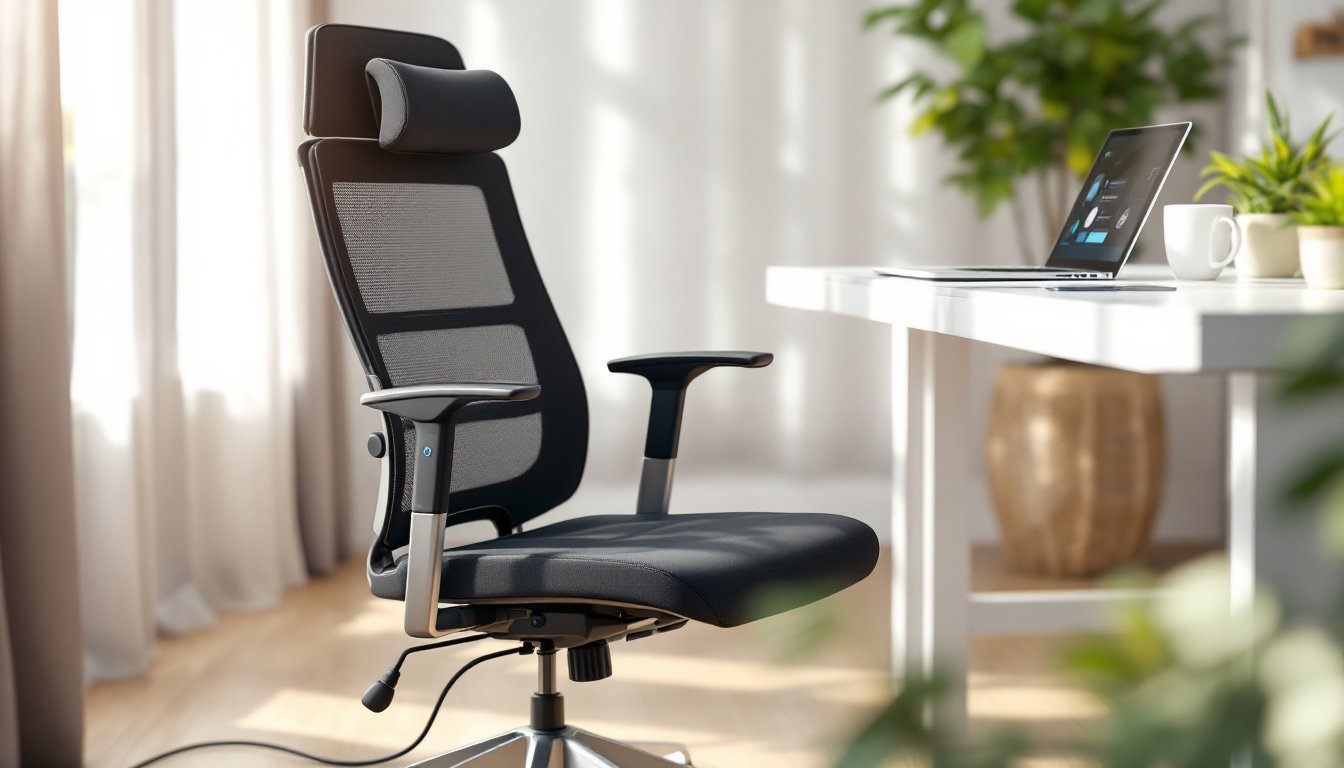
Working from home or spending hours at a desk demands more than just any seat, it requires one that adapts to your body throughout the day. Electric office chairs bring motorized precision to ergonomics, letting users fine-tune lumbar support, seat height, and recline angles with the press of a button. Unlike manual chairs that rely on levers and gas lifts that wear out over time, electric models use quiet motors to deliver consistent, repeatable adjustments. They’re especially valuable for anyone with mobility limitations, chronic back pain, or those who simply want convenience without compromising posture. This guide walks through how they work, what features matter most, and whether the investment makes sense for your workspace.
Table of Contents
ToggleKey Takeaways
- An electric office chair uses low-voltage DC motors to deliver precise, repeatable adjustments to lumbar support, seat height, and recline without the wear issues that plague manual levers and gas lifts.
- Electric office chairs excel for users with mobility limitations, chronic back pain, or those who adjust settings frequently—memory presets and button controls eliminate physical effort and allow personalized positioning in seconds.
- Look for brushless DC motors with sealed gearboxes, at least 3-year warranties on electronics, and safety certifications like BIFMA and ETL/UL listing to ensure durability and prevent hazards.
- Proper setup—starting with seat height, then lumbar support at the L3-L4 vertebrae, and recline between 100-110 degrees for active work—maximizes comfort and spinal alignment.
- Electric chairs cost $700–$1,500+ compared to $300–$600 for manual models; choose electric if you adjust settings multiple times daily or share the chair with others, otherwise a quality manual chair may suffice.
- Test and fine-tune your electric office chair daily since your body changes throughout the day, making small incremental adjustments to address pressure points and fatigue.
What Is an Electric Office Chair and How Does It Work?
An electric office chair uses integrated motors, typically low-voltage DC motors running on 12V to 24V, to adjust components that would otherwise require manual levers or pneumatic controls. Most models feature motorized lumbar support, seat height adjustment, recline tension, and sometimes armrest positioning. The motors are controlled via buttons or a digital panel mounted on the armrest or seat side.
Inside the chair, a small transformer steps down standard 120V household current to safe, low-voltage power. The motors connect to linear actuators or gear-driven mechanisms that push, pull, or rotate adjustment points. For example, a lumbar actuator extends a bladder or curved plate against the lower back, while a recline motor adjusts the tilt angle in small increments.
Because they rely on electricity, these chairs require proximity to an outlet or use rechargeable battery packs (less common). Most draw less than 60 watts during operation, comparable to a laptop charger. The upside: no gas cylinders to leak, no levers to jam, and settings that can be saved via memory presets on higher-end models.
Safety features include thermal cutoffs to prevent motor overheating and soft-start mechanisms to avoid jarring movements. If you’re curious about optimizing the broader space around your chair, check out home office setup ideas that complement ergonomic seating.
Key Benefits of Choosing an Electric Office Chair
Enhanced Ergonomic Support
Electric chairs excel at micro-adjustments that manual mechanisms can’t match. Motorized lumbar support can shift up, down, in, and out by fractions of an inch, targeting the exact spot where the spine curves. This precision helps maintain the natural S-curve of the spine, reducing pressure on discs and muscles.
Many models offer continuous recline adjustment rather than fixed positions. You can dial in a 105-degree recline for reading or a 95-degree angle for typing without settling for preset notches. Some chairs also include dynamic lumbar tracking, where the support follows your back as you recline, keeping contact constant.
For users with limited hand strength, arthritis, or post-surgery restrictions, electric controls eliminate the need to reach under the seat or wrestle with stiff levers. A light button press replaces physical effort, making frequent adjustments practical instead of a chore.
Convenience and Ease of Use
Electric chairs with memory presets (usually 2-4 positions) let multiple users or different tasks share one seat. Save a “focused work” position with upright posture and lumbar engaged, then a “relaxed review” setting with more recline and softer support. Switching takes seconds.
Integrated controls also reduce wear points. Manual levers bend, break, or strip over time, especially on budget chairs. Electric systems, when properly maintained, offer consistent performance for years. Look for models with UL-listed power supplies and IP20-rated control panels to ensure durability.
Some advanced models sync with apps to track sitting time, posture shifts, and even send reminders to stand. While not essential, these features appeal to data-driven users who want to optimize desk habits alongside their workspace. Pairing an electric chair with a quality home office executive desk creates a cohesive, adjustable workstation.
Essential Features to Look for When Buying
Start with the adjustment range. Seat height motors should cover at least 16 to 21 inches from the floor to accommodate users from 5’0″ to 6’4″. Lumbar support should move through a 4-inch vertical range and extend at least 1.5 inches forward. Recline should go from 90 degrees (upright) to at least 135 degrees if you plan to use the chair for breaks or reading.
Motor quality matters more than you’d think. Cheaper models use brushed motors that wear out faster and run louder. Look for brushless DC motors with sealed gearboxes, they’re quieter, more efficient, and last longer. Check the duty cycle rating: motors rated for continuous use won’t overheat during long adjustment sessions.
Control interface should be intuitive. Side-mounted button panels are easier to reach than under-seat controls. Digital displays showing current position or saved presets add convenience but aren’t necessary. Some chairs use tactile buttons with distinct clicks: others use touch-sensitive panels that can malfunction if liquid spills.
Don’t overlook upholstery and padding. Electric mechanisms add weight (most chairs weigh 50-70 lbs), so the frame needs reinforced steel or aluminum. Seat cushions should use high-density foam (at least 2.5 lb/ft³ density) that won’t bottom out. Breathable mesh backs work well in warm climates, while padded backs suit cooler offices.
Warranty coverage is critical. A solid electric chair should come with at least a 3-year warranty on motors and electronics, plus 5+ years on structural components. Avoid models with vague “limited” warranties that exclude wear items. Recent reviews of the best office chairs highlight how warranty terms separate quality brands from budget knockoffs.
Finally, check for safety certifications: BIFMA (Business and Institutional Furniture Manufacturers Association) for structural integrity, and ETL or UL listing for electrical components. These aren’t optional, they ensure the chair won’t tip, collapse, or pose a shock hazard.
How to Set Up Your Electric Office Chair for Maximum Comfort
Step 1: Unbox and assemble carefully. Most electric chairs arrive with the base, casters, seat, and backrest separate. Follow the manual’s torque specs for bolts, overtightening can crack plastic housings around motors. Use a torque wrench set to manufacturer specs (usually 15-20 ft-lbs for seat bolts) if provided. Route power cables through integrated channels to prevent pinching.
Step 2: Position the chair at your desk. Plug the transformer into a surge protector, not directly into the wall. Sit with feet flat on the floor and knees at a 90-degree angle. If your feet dangle, add a footrest: if knees are too high, raise the desk or lower the chair.
Step 3: Adjust seat height first. Use the electric control to set the seat so your elbows rest at 90-100 degrees when typing, with forearms parallel to the floor. Your thighs should clear the seat front edge without pressure on the back of your knees.
Step 4: Dial in lumbar support. Start with the lumbar pad at your belt line (roughly L3-L4 vertebrae). Use the motor to move it up or down until you feel gentle pressure supporting the curve of your lower back. Extend it forward until your back touches without forcing your hips forward.
Step 5: Set recline and tension. Adjust the recline angle to 100-110 degrees for active work. Lock it or set tension so you can lean back without effort but still return upright easily. Save this as preset 1 if your chair has memory.
Step 6: Fine-tune armrests. Electric armrests (if equipped) should let your shoulders relax, not hunch up or drop down. Position them so your forearms rest lightly when typing, without bearing your full arm weight.
Step 7: Test and tweak daily. Your body changes throughout the day. If you feel pressure points or fatigue after an hour, adjust in small increments. Keep the remote or button panel within easy reach.
Safety note: Wear safety glasses during assembly if using power tools. Keep fingers clear of moving parts when testing motors. If a motor stalls or makes grinding noises, stop immediately and contact the manufacturer, forcing it can burn out the actuator.
For a complete workspace transformation, explore office design ideas that pair ergonomic seating with lighting, layout, and decor strategies.
Electric vs. Manual Office Chairs: Which Is Right for You?
Manual chairs use gas lifts, levers, and knobs. They’re simpler, lighter (typically 35-45 lbs), and don’t require power outlets. High-quality manual chairs like those featured in best office chairs for 2026 can deliver excellent ergonomics at lower price points, often $300-$600 versus $700-$1,500+ for electric models.
The trade-off: manual adjustments require physical effort and offer less precision. Gas cylinders lose pressure over time, causing seat sag after 2-3 years. Lumbar knobs are hard to dial in exactly, and recline levers can be awkward to reach mid-task.
Electric chairs shine for users who adjust frequently or have mobility challenges. The ability to save presets means you won’t forget your ideal settings after someone else uses the chair. Motors also enable features impossible on manual chairs, like slow recline that eases you back gradually or posture reminders that gently shift support to encourage movement.
Downsides include higher upfront cost, dependence on power (useless during outages unless battery-equipped), and more complex repairs. If a motor fails, you’re often replacing an entire module rather than swapping a $20 gas cylinder.
Choose electric if:
- You adjust your chair multiple times per day
- You have arthritis, limited grip strength, or back injuries
- Multiple users share the chair and need quick position changes
- You want advanced features like memory presets or app integration
Stick with manual if:
- Budget is tight and ergonomics are still a priority
- Your workspace lacks nearby outlets or you move the chair often
- You prefer simplicity and easier DIY repairs
- You rarely adjust settings once you find a comfortable position
Both types can support healthy posture, the right choice depends on how you work, not just what you can afford. For design inspiration that complements either chair type, browse ideas on Houzz to see how professionals integrate seating into functional home offices.
Bottom line: Electric chairs aren’t a luxury, they’re a tool. If the precision and convenience solve real problems in your workday, the investment pays off in reduced pain and sustained focus. If you’re happy reaching under your seat and don’t mind occasional gas cylinder replacements, a well-built manual chair does the job just fine.