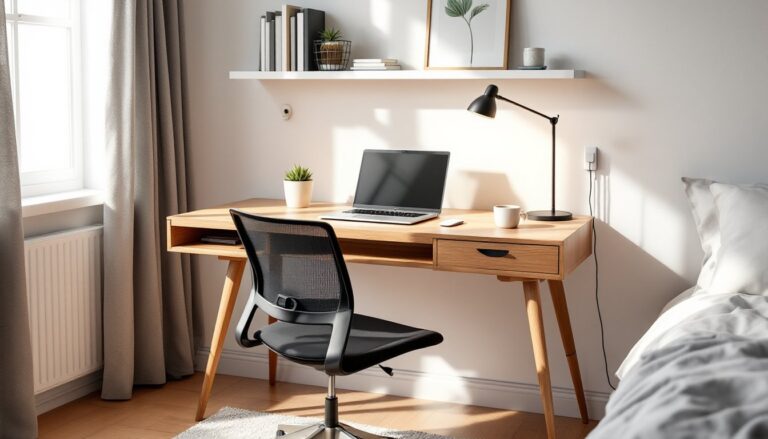
Bad lighting can turn a home office into a headache factory. Eye strain, neck pain, and afternoon slumps aren’t always about your workload, they’re often about lumens, color temperature, and fixture placement. The right lighting setup, on the other hand, can sharpen focus, reduce fatigue, and make those long Zoom calls a lot less grim. This guide walks through the three layers of lighting every productive workspace needs, how to pick bulbs that won’t leave you squinting, and which fixtures actually earn their desk real estate.
Table of Contents
ToggleKey Takeaways
- Best lighting for home office relies on three layers—ambient, task, and accent—working together to eliminate shadows, reduce eye strain, and support sustained focus.
- Cool daylight color temperature (5000K–6500K) keeps workers alert and improves task completion, while warm light (2700K–3000K) should be reserved for evening use or accent fixtures.
- Task lamps deliver 400–800 lumens directly onto work surfaces with adjustable arms and CRI 90+ for accurate color rendering, making them the highest-return investment for workspace upgrades.
- LED bulbs outperform older technology by lasting 15,000–50,000 hours and offering precise color control, while dimmers and smart controls add flexibility to adapt lighting throughout the workday.
- Proper fixture placement—positioning task lights to the side at 45 degrees and avoiding single overhead bulbs—prevents glare, halo effects, and uneven brightness that degrade work quality.
Why Proper Home Office Lighting Matters
Poor lighting does more than annoy, it degrades work quality and physical health. The American Optometric Association links inadequate lighting to computer vision syndrome: dry eyes, blurred vision, and tension headaches that cluster around the temples. Fluorescent overhead fixtures and dim corner lamps force the eyes to constantly adjust, a process that tires the ciliary muscles faster than staring at a spreadsheet.
Glare is another culprit. A single unshaded bulb or window reflection on a monitor can cut contrast by 30%, making text harder to parse and colors less accurate. Designers and video editors notice this first, but anyone reading contracts or writing reports will feel the drag.
Color temperature, measured in Kelvin (K), affects alertness. Warm light (2700K–3000K) mimics sunset and signals the brain to wind down, fine for living rooms but counterproductive at 10 a.m. Cool daylight (5000K–6500K) suppresses melatonin and keeps circadian rhythms aligned with work hours. Studies published in the Journal of Environmental Psychology show that workers under daylight-spectrum lighting report better mood and faster task completion than those under warm or dim sources.
Layered lighting, ambient, task, and accent, creates flexibility. A single overhead can’t serve a Zoom backdrop, illuminate a keyboard, and reduce monitor glare at the same time. Proper home office lighting requires multiple fixtures working together, each doing one job well.
Types of Lighting Every Home Office Needs
Ambient Lighting
Ambient lighting fills the room with general illumination. It’s the base layer that prevents harsh contrast between the bright desk and dark corners. Recessed ceiling cans, flush-mount LEDs, or track lights all qualify, as long as they distribute light evenly without creating hot spots.
Aim for 300–500 lumens per square meter in a home office. A 120-square-foot room (roughly 11 square meters) needs about 3,300–5,500 total lumens from ambient sources. That translates to three or four 13-watt LED bulbs (each producing roughly 1,100 lumens) in a ceiling fixture or distributed across recessed cans. Much of this depends on your home office location and natural light availability.
Dimmers add control. Not every task demands full brightness, and late-afternoon glare from west-facing windows can be offset by dialing down overhead LEDs. Install a simple rotary dimmer (compatible with LED drivers) or a smart switch for app-based adjustment.
Avoid the single-bulb-in-the-center trap. A lone ceiling fixture casts shadows on the desk and creates uneven brightness, especially in rectangular rooms. If retrofitting recessed lights isn’t feasible, consider wall sconces or floor lamps with uplight modes to bounce illumination off the ceiling.
Task Lighting
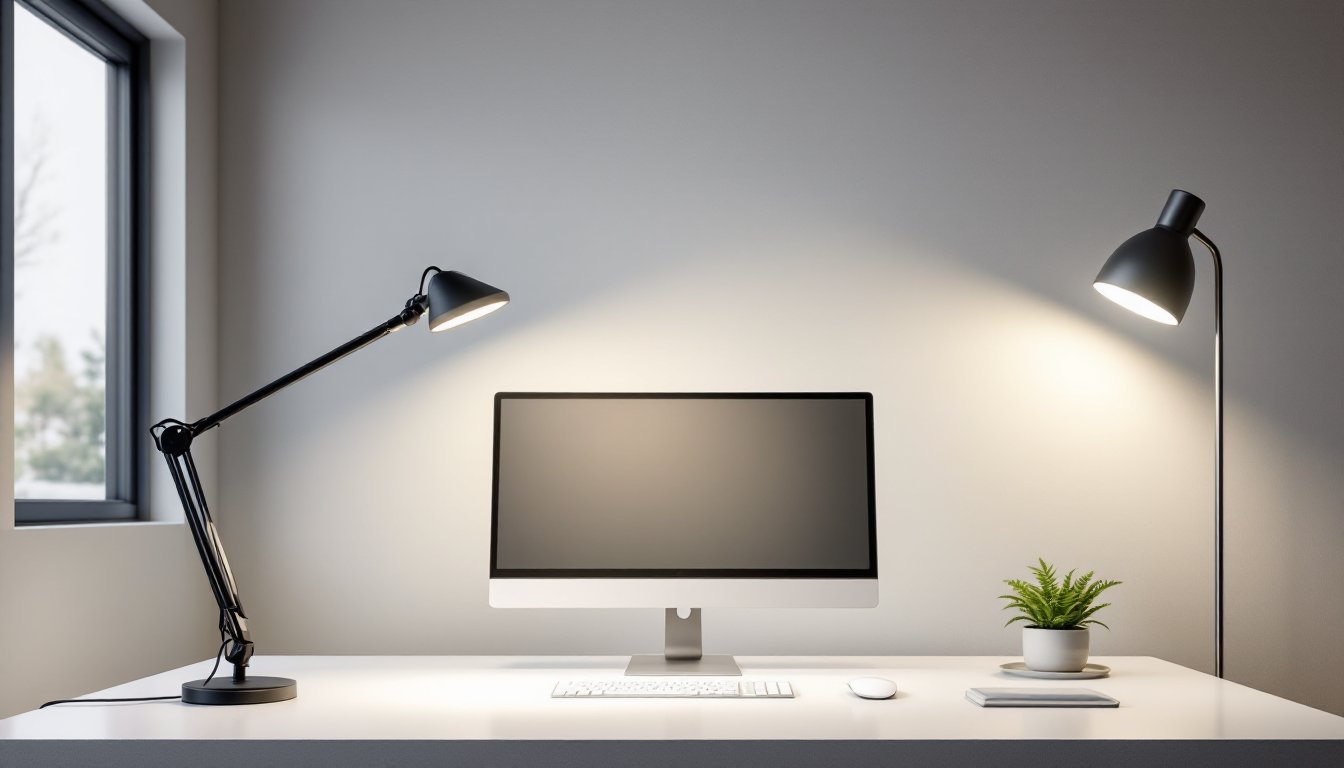
Task lighting targets the work surface: the keyboard, notebook, or drafting table. Desk lamps are the go-to, but not all lamps are created equal. Look for models with adjustable arms and swivel heads, Anglepoise-style or articulating LED panels, so the beam can move as the task changes.
Lumens matter here too. A task light should deliver 400–800 lumens directly onto the work area, enough to read fine print without leaning in. Many recent models from testing roundups show that brightness adjustability is essential, allowing users to dial intensity based on ambient conditions.
Color rendering index (CRI) measures how accurately a light source shows colors compared to natural sunlight (CRI 100). For general office work, a CRI of 80+ is acceptable. Designers, photographers, or anyone matching paint samples should aim for 90+ to avoid color shift. LED bulbs and panels now routinely hit CRI 95 without a price premium.
Clamp-on lamps save desk space and work well on floating shelves or monitor arms. Gooseneck models offer infinite adjustment but can droop under their own weight after a year, metal springs hold up better than plastic joints. If you’re upgrading your entire efficient home workspace, task lighting is the highest-return investment.
Avoid placing a task lamp directly behind the monitor. It creates a halo effect and washes out screen contrast. Position it to the side, angled across the desk at about 45 degrees, so the light skims the surface without hitting your eyes or the screen.
Accent Lighting
Accent lighting adds depth and reduces the cave effect that single-source setups create. It’s not strictly functional, but it prevents eye fatigue by giving the gaze somewhere to rest beyond the bright desk and glowing monitor.
Wall-mounted picture lights, LED strip tape behind a bookshelf, or a small uplighting can behind a plant all count. The goal is subtle contrast, not drama. Accent lights should run at 10–20% of ambient brightness, enough to define the room’s edges without competing for attention.
Bias lighting is a specific type of accent: an LED strip mounted on the back of the monitor, casting a soft glow onto the wall. It reduces the brightness differential between screen and surroundings, which lessens eye strain during long sessions. Strips rated at 6500K match most monitor white points. Avoid RGB party modes: consistent, neutral light works best for focus.
How to Choose the Right Light Bulbs and Color Temperature
Light bulbs come in three main types: incandescent, CFL, and LED. Incandescents are nearly extinct due to energy regulations, and CFLs flicker and contain mercury, making them poor choices for a workspace. LEDs dominate for good reason: they last 15,000–50,000 hours, draw a fraction of the wattage, and offer precise color control.
When reading a bulb label, ignore watts and focus on lumens (light output) and color temperature. A 60-watt incandescent equivalent LED draws about 9 watts and produces roughly 800 lumens. For task lighting, look for bulbs or integrated fixtures in the 4000K–5000K range, cool white to daylight. This spectrum mimics midday sun and keeps the brain alert without the harsh blue tint of 6500K warehouse lights.
Warm white (2700K–3000K) suits accent lights or late-evening ambient use, but it’s too drowsy for daily productivity. If evening work is common, consider tunable white LEDs that shift color temperature via remote or app. Philips Hue, LIFX, and several budget alternatives offer this feature. Set 5000K during work hours, then drop to 3000K after dinner to ease into downtime.
Beam angle affects coverage. A narrow 25-degree spotlight concentrates lumens into a small circle, useful for highlighting a specific task. A 90-degree flood spreads light across a desk or wall. Task lamps typically use 40–60-degree beams for a balance between focus and coverage.
Dimming compatibility is hit-or-miss with LEDs. Not all bulbs work smoothly with all dimmers, leading to buzzing, flickering, or a narrow dimming range. Check the package for “dimmable” labeling and, if possible, match bulb and dimmer brands. Lutron and Leviton publish compatibility lists online.
Color consistency matters when mixing bulbs. Even within the same color temperature, different manufacturers can produce noticeably different tints. Buy in bulk from a single product line if you’re outfitting multiple fixtures, or expect slight mismatches between a desk lamp and ceiling cans.
Best Light Fixtures and Lamps for Your Home Office
Desk lamps are the workhorse of task lighting. Models with LED panels (rather than single-point bulbs) distribute light more evenly and reduce glare. Articulating arms, think architect lamps or swing-arm designs, let users position the light exactly where it’s needed. Weight and build quality separate the keepers from the landfill candidates: die-cast aluminum bases stay put, while lightweight plastic models tip over or slide.
For those setting up a new desk area, many experts recommend pairing task lighting with thoughtful home office setup ideas to maximize both function and comfort.
Integrated dimming and color-temp controls add versatility without extra hardware. Touch-sensitive controls beat tiny buttons, and USB charging ports built into the base are a practical bonus. Recent testing highlights several models offering adjustable brightness and eye-friendly lighting for extended screen time.
Floor lamps work when desk space is tight or when ambient light needs a boost. Torchiere-style lamps bounce light off the ceiling for soft, diffuse coverage, ideal for filling a room without harsh downlight. Combination models with an adjustable reading arm add task capability. Look for lamps with a weighted base (at least 10 pounds) to avoid tipping, especially in homes with pets or kids. Many homeowners also explore paint colors for home office to complement their lighting choices and create a cohesive environment.
Ceiling fixtures provide ambient coverage but need careful selection. Flush-mount or semi-flush LEDs with diffusers prevent hot spots and distribute light evenly. Avoid bare-bulb fixtures or chandeliers in a workspace, they create glare and wasted uplight. If the office doubles as a guest room, a ceiling fan with an integrated LED kit can handle both air circulation and general lighting, though fan-rated bulbs or modules are required for vibration resistance.
Track lighting offers flexibility for renters or those who don’t want to cut drywall. Plug-in track kits mount with screws into studs (use a stud finder and #8 wood screws, not drywall anchors) and can be repositioned as desk layout changes. Adjustable heads let users aim light at walls for accent or down at the desk for task.
Smart bulbs and fixtures integrate with voice assistants and automation routines. A simple setup: “Office on” triggers 5000K ambient lighting and a desk lamp at 70% brightness: “Focus mode” bumps task lighting to 100% and dims accents. Scheduling can auto-adjust color temperature throughout the day, ramping down from 5000K at 9 a.m. to 3000K by 6 p.m. Initial cost is higher, but the convenience and energy tracking features appeal to tech-forward users.
No single fixture solves every need. A balanced setup pairs a ceiling fixture or floor lamp for ambient coverage, a desk lamp for task precision, and optional LED strips or sconces for accent depth. Together, they eliminate shadows, reduce eye strain, and support long-term focus better than any standalone solution.
Building codes rarely govern residential lighting beyond electrical box installation (which must follow NEC standards if adding new circuits). But, any work that involves running new wire through walls or adding circuits to the breaker panel requires a permit in most jurisdictions. Surface-mounted fixtures and plug-in lamps don’t trigger permitting, but if you’re unsure, check with the local building department before drilling into walls or opening junction boxes.
Wear safety glasses when installing overhead fixtures or working near ceiling fans. If drilling into a ceiling, use a voltage tester to confirm no live wires run through the area, hitting a cable can trip breakers or cause injury. For heavy fixtures (over 10 pounds), confirm the electrical box is rated for the weight or install a fan-rated box anchored to a joist.
Maintenance is minimal with LEDs, but dust buildup on lenses and shades can cut light output by 10–15% over a year. Wipe fixtures with a microfiber cloth monthly. If a bulb fails early, check for overheating, enclosed fixtures without ventilation holes can shorten LED lifespan, even on models rated for enclosed use.